Disclosure: Some links in this post are affiliate links. If you buy through them, Arocol may earn a small commission at no extra cost to you. Nothing here is a paid recommendation. As an Amazon Associate I earn from qualifying purchases. Read our affiliate disclosure and see all our picks on the Money Tools & Deals page.
My uncle is a retired bank manager. Forty years in banking. He has lectured every one of us, many times, about never sharing an OTP.
Last year he lost ₹46,000 in about eleven minutes.
It started with a WhatsApp message that looked like it came from his electricity company. “Dear customer, your power will be disconnected tonight at 9:30 pm because your last bill was not updated. Please call our officer immediately.” There was a number. He called. A polite young man told him to pay a “pending” ₹12 to update the record, and helpfully sent a link to an app that would make it “quick”. He installed it. He paid the ₹12. And by the time he realised the app was a screen-sharing tool, three transactions had gone out of his account.
He wasn’t careless. He wasn’t greedy. He was scared that the power would go off, and he was trying to fix a problem quickly. That’s exactly what the fraudster was counting on.
I’m telling you this story because I think a lot of us secretly believe that only “naive” people get scammed. That’s not true. These frauds work on smart, educated, careful people every single day. They work because they’re designed around fear, urgency and trust, not around stupidity.
So let’s talk about how they actually work in 2026, the warning signs, the settings you should change on your phone today, and exactly what to do in the first hour if it happens to you or someone in your family.
Why these frauds are everywhere now
UPI has been an incredible thing for India. My vegetable vendor takes UPI. The parking attendant takes UPI. I haven’t carried much cash in years. Billions of UPI transactions now happen every month.
But anything that makes it easy to send money also makes it easy to trick someone into sending money. Fraudsters don’t need to hack a bank anymore. They just need to convince you to press the button.
That’s the single most important idea in this whole article: in most UPI frauds, the system isn’t hacked. The person is. Once you understand that, the warning signs become much easier to spot.
The most common frauds in India right now
These tricks keep changing their costumes, but underneath, they repeat the same few patterns. Here are the ones I see most often.
1. The “collect request” trick
You’re selling an old sofa online. A buyer messages you, agrees to your price without bargaining (first red flag), and says, “I’ll send the money on UPI now.” Then a request pops up on your UPI app. You enter your PIN, thinking you’re receiving money.
You’re not. You just paid them.
Remember this forever: you never need to enter your UPI PIN to receive money. Ever. The PIN is only for sending. If someone says you need to scan a QR code or enter a PIN to get paid, it’s a scam. Full stop.
2. Fake customer care numbers
Your refund from a food delivery app hasn’t come. You Google “XYZ customer care number”, call the first result, and a helpful person answers. They ask you to install a “support app” or share a code to “process the refund faster”.
Fraudsters plant fake customer care numbers all over the internet, on search results, social media comments and fake listings. Always find support numbers inside the official app or on the official website, never from a random search result.
3. Screen-sharing apps
This is what got my uncle. You’re asked to install an app like AnyDesk, TeamViewer or some unknown “support” APK. Once it’s installed and you give permission, the fraudster can see everything on your screen, including OTPs, PINs as you type them, and banking apps.
No genuine bank, electricity board, telecom company or government office will ever ask you to install a screen-sharing app. If anyone asks, hang up.
4. KYC update and “account will be blocked” messages
“Your SBI account will be blocked today. Update your PAN/KYC immediately by clicking this link.” The link leads to a site that looks exactly like your bank’s login page. You type in your user ID, password and OTP. They now have all three.
Banks don’t block accounts through SMS links. If you’re worried, open your bank’s official app or visit the branch.
5. “Digital arrest” scams
This one has grown frighteningly common. You get a call from someone claiming to be from the police, CBI, customs, or a courier company. “A parcel in your name has drugs in it.” Or “Your Aadhaar is linked to a money laundering case.” Then they move to a video call. There may be a fake police station in the background, someone in uniform, official-looking documents. You’re told you’re under “digital arrest”, that you can’t tell anyone, and that you must transfer money to a “verification account” to clear your name.
Let me be very clear. There is no such thing as a “digital arrest” in Indian law. No police officer or agency will arrest you over a video call, keep you on camera for hours, or ask you to transfer money to prove your innocence. The government has warned about this repeatedly. If you get one of these calls, disconnect, and report it.
6. Fake investment and trading groups
You get added to a WhatsApp or Telegram group full of people posting screenshots of huge profits. A “mentor” shares stock tips. You’re invited to an app where your “profits” grow beautifully on screen. Then, when you try to withdraw, you’re asked to pay a “tax” or “fee” first. And then another one. The money never comes out.
Any investment that promises guaranteed high returns, especially through a group chat, is almost certainly a scam. Real investing is boring. If you want to invest properly, start with something simple like a ₹500 SIP through a SEBI-registered platform. You can check whether an adviser or broker is registered on the SEBI website.
7. Fake job and “task” offers
“Earn ₹3,000 a day by liking YouTube videos.” The first few tasks actually pay you small amounts, which builds trust. Then you’re asked to “invest” in a premium task to unlock bigger earnings. You know how this ends.
8. The “wrong transfer” request
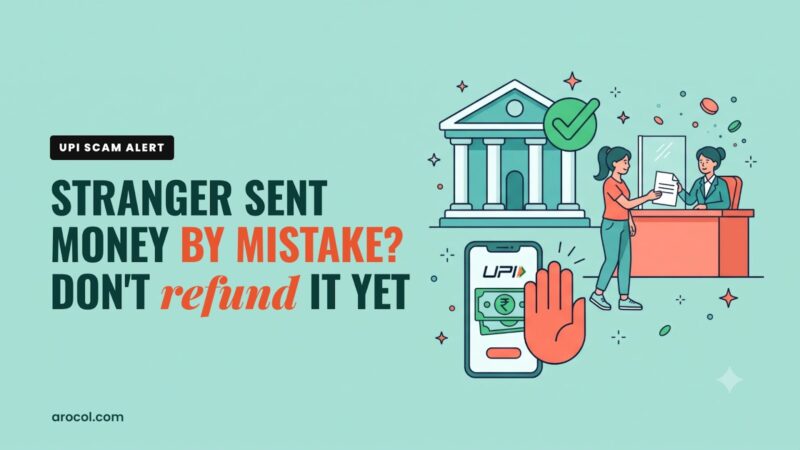
Someone sends you ₹2,000 “by mistake” and calls in a panic asking you to send it back. Sometimes the original money was itself stolen from another victim, or the “credit” was just a fake SMS. Don’t send anything back directly. Tell them to raise a dispute with their bank, which will handle the reversal properly.

The red flags that show up in almost every scam
If you only remember one section of this article, make it this one. Nearly every fraud has at least two of these:
- Urgency. “Today.” “In 30 minutes.” “Immediately or your account will be blocked.”
- Fear or greed. Arrest, disconnection, penalty, or a too-good-to-be-true reward.
- Secrecy. “Don’t tell your family.” “Stay on the call.” “Don’t disconnect.”
- A request to install an app, click a link, or share a code.
- A request to enter your UPI PIN to receive money.
- Payment to a personal account or UPI ID instead of an official company account.
The single best defence is this sentence: “Let me call you back.” Then hang up, find the official number yourself, and call that. Real organisations are fine with this. Fraudsters will push back hard, which tells you everything.
Settings and habits to set up today (takes 20 minutes)
Here’s the practical part. Sit down with your phone, and ideally your parents’ phones too, and do these.
Set a low UPI daily limit. Most UPI apps and banks let you set a lower daily transaction limit than the default. If you rarely send more than ₹10,000 a day, set it there. A fraudster can only take what the limit allows.
Turn off international and online usage on cards you don’t use. In your bank’s app, you can switch off online, contactless and international transactions for each debit and credit card individually. Switch them on only when you need them.
Use a separate account for UPI. This is my favourite trick. Keep your main savings in one bank account that is not linked to any UPI app. Link UPI to a second account where you keep only a small amount for daily spending, and top it up when needed. If something goes wrong, the damage is limited. Your emergency fund should definitely not sit in your UPI-linked account.
Enable app locks and biometric login. Lock every banking and UPI app with a fingerprint or face unlock, separate from your phone’s lock screen.
Use a password manager. Reusing one password everywhere is how one leaked website becomes access to your email, and your email is the key to everything else. A password manager like Bitwarden or 1Password creates and remembers strong, unique passwords for every site. It also warns you if you’re about to type your password into a fake website, which is exactly the protection you want against phishing pages.
Install a good mobile security app. Especially on your parents’ phones. A trusted security app like Quick Heal Total Security or Norton 360 can flag dangerous links, scan apps before installation and warn about known scam websites. It’s not a magic shield, but it catches a lot of the common stuff, and it costs very little for a year.
Block installs from unknown sources. On Android, make sure “Install unknown apps” is turned off for WhatsApp, your browser and file managers. Most fraud apps come as APK files shared over chat.
Turn on two-step verification on WhatsApp and email. This stops someone from taking over your WhatsApp with a stolen OTP and then messaging your contacts for “urgent help”.
Get a privacy screen protector. This sounds minor, but shoulder-surfing at ATMs, in metros and in queues is real. A privacy screen guard makes your screen unreadable from the side, so nobody standing next to you sees your PIN or balance.

How to spot a genuine bank call or message
Fraudsters impersonate banks more than anyone else, so it helps to know a couple of things regulators have done to make genuine communication easier to recognise.
Regulators have pushed banks and financial companies to use dedicated 1600-series phone numbers for service and transactional calls, so promotional and personal-looking mobile numbers claiming to be “from your bank” deserve extra suspicion. RBI has also moved Indian banks towards the exclusive “.bank.in” web domain, which only verified banks can register. Over time, a bank website that doesn’t end in .bank.in should make you pause.
Neither of these is a guarantee by itself. Caller IDs can be spoofed and lookalike domains exist. But they’re useful signals. When in doubt, call the number printed on the back of your debit card or listed inside your bank’s official app.
And always remember the golden rule. Your bank already knows your account details. It will never ask for your OTP, UPI PIN, CVV, card PIN or internet banking password. Not on a call, not on a message, not on email. Never.
If it happens: the first hour matters most
If you or someone in your family gets defrauded, speed is everything. The faster you report, the better the chance of freezing the money before it’s moved out of the fraudster’s account. Here’s exactly what to do, in order.
1. Call 1930 immediately. This is the National Cyber Crime Helpline. Save it in your phone and your parents’ phones right now. They can coordinate with banks to try to freeze the money in the receiving accounts.
2. Report online at cybercrime.gov.in. File a complaint on the National Cyber Crime Reporting Portal with all the details: transaction IDs, UPI IDs, phone numbers, screenshots. Note down your acknowledgement number.
3. Call your bank and block everything. Use the official helpline on the back of your card or inside the bank’s app. Block your debit and credit cards, and ask them to temporarily freeze UPI and net banking. Also raise a formal dispute for the unauthorised transactions and get a complaint reference number.
4. Raise a complaint inside the UPI app. Most UPI apps have a “Report a problem” or “Raise dispute” option on each transaction.
5. Change passwords and remove any suspicious apps. If you installed a screen-sharing app or an unknown APK, uninstall it. Change your email, banking and UPI passwords from a different, clean device if possible.
6. Report the number. You can report fraud calls and messages through the Chakshu facility on the government’s Sanchar Saathi portal, which helps get those numbers blocked so they can’t target others.
7. File an FIR if the amount is significant. Your bank may ask for it, and it helps the investigation.

Will you get your money back?
Honestly, it depends. But you may have more protection than you think.
RBI’s rules on unauthorised electronic banking transactions say, broadly, that if the fraud happened because of a problem at the bank’s end, or a third-party breach where neither you nor the bank was at fault, and you report it within three working days, your liability can be zero. If you report a bit later, between four and seven working days, your liability is capped at a limited amount depending on the account type. You can read the details in RBI’s customer protection circulars on the RBI website.
The hard part is this. If you shared your OTP or PIN yourself, even under pressure, the bank may treat it as negligence on your part, and recovery becomes much harder. That’s why prevention matters so much more than cure here.
If your bank doesn’t resolve your complaint within 30 days, or you’re unhappy with the response, you can escalate to the RBI Ombudsman through the RBI Complaint Management System. It’s free and you don’t need a lawyer.
My uncle, for what it’s worth, called 1930 within about forty minutes. Part of the money was frozen in one of the receiving accounts and eventually came back to him. The rest didn’t. He says the lesson cost him ₹31,000, and he now tells the story at every family gathering, which I think is the most useful thing that came out of it.
Protect your parents (they’re the main target)
If your parents are over 60, they are the people fraudsters most love to target. They’re often less comfortable with smartphones, more respectful of authority figures on the phone, and less likely to tell their children because they feel embarrassed.
A few things that helped in my family:
- Sit with them and set up the safety settings above. Especially the UPI limit, app locks and the unknown-apps block.
- Write “1930” on a sticky note and stick it near the phone charger. Old-fashioned, but it works.
- Create a family code word. If anyone ever calls claiming to be a family member in trouble and asking for money, they need to say the code word. Voice-cloning scams are real now. A code word beats them easily.
- Make it safe to tell you. Say it out loud: “If you ever think you’ve been scammed, tell me immediately. I won’t be angry.” Embarrassment delays reporting, and delays cost money.
- Give them a simple, readable guide. Some families find it useful to keep a printed book on cyber safety at home. You can find cyber safety guides for Indian readers on Amazon. Even just reading one chapter together starts the conversation.

Is cyber insurance worth it?
A few insurers now offer individual cyber insurance that covers things like unauthorised online transactions, identity theft and phishing losses, sometimes for a fairly low annual premium. Some credit cards and bank accounts also include limited fraud protection.
For most people, I’d put cyber insurance in the “nice to have” category, not the “must have” one. Your term insurance, health insurance and emergency fund come first. But if you or your parents transact a lot online and the premium is small, it can be worth a look. Some general insurers now offer cyber cover for individuals. Read the exclusions carefully, especially around what counts as “your negligence”, and go through these 7 things to check before buying any insurance.
Credit cards vs UPI: which is safer for online shopping?
Here’s something many people don’t realise. For online shopping on unfamiliar websites, a credit card can actually be safer than UPI or a debit card.
When money leaves your savings account through UPI or a debit card, it’s gone from your account immediately, and you’re chasing it back. With a credit card, the disputed amount is the bank’s money until you pay the bill, and card networks have established chargeback processes. That gives you breathing room.
Of course, that only helps if you use your credit card responsibly and pay the full bill on time. If you’re not sure how, start with how to use a credit card without ever paying interest, and please avoid paying only the minimum due. If you don’t have a card yet, a lifetime-free one like the AU LIT Credit Card is a low-risk way to start, since there’s no annual fee to worry about. If you mostly pay by scanning QR codes, a RuPay credit card like the HDFC RuPay Credit Card can be linked to UPI, so everyday QR payments come from your card’s credit limit instead of straight out of your savings account. For online shopping, a simple cashback card like the SBI Cashback Credit Card also works well.
And keep an eye on your credit report too. If someone steals your identity and takes a loan in your name, it shows up there first. Checking your report a few times a year is a quiet way to catch it early. You can get one free credit report a year from each credit bureau, including CIBIL. Here’s a practical guide to your CIBIL score.
Frequently asked questions
Can someone steal money just by knowing my UPI ID?
No. Your UPI ID is like your email address. People need it to send you money. They can’t take money with it unless you approve a request with your PIN.
Is it safe to scan any QR code?
Scanning a QR code to pay a shop is fine, as long as you check the name that shows up before entering your PIN. But never scan a QR code to receive money. That’s always a scam.
I clicked a suspicious link but didn’t enter anything. Am I okay?
Probably, but be careful. Close the page, don’t download anything, and run a scan with a security app. If you did enter any details, change those passwords immediately and inform your bank.
Someone took over my WhatsApp. What should I do?
Reinstall WhatsApp and verify your number to log them out. Turn on two-step verification. Then message your contacts warning them not to send money to anyone using your account.
How long do I have to report a fraud?
Report immediately. Call 1930 within the first hour if possible, and tell your bank within three working days at the latest to get the strongest protection under RBI’s rules.
Before you go
Do me one favour. Forward this article to the family WhatsApp group. Yes, the same one with all the good-morning flowers. Somewhere in that group is someone who will get a “your electricity will be disconnected tonight” message this month. If one person pauses and says, “Let me call you back,” it was worth it.
And save 1930 in your phone. Right now. Before you scroll to the next thing.
Recommended reads
- PF Deducted but Not Credited in EPFO? Here’s What to Do
- First Credit Card in India? How to Pick the Right One
- How to Use a Credit Card Without Ever Paying Interest
- Send Money from UAE to India: Cheapest Ways Compared
- Emergency Fund in India: How Much You Need and Where to Keep It
This article is for general awareness only. Rules, helplines and app features can change. For any specific incident, contact your bank and the official cyber crime helpline (1930) immediately.