Disclosure: This post has affiliate links. Arocol may earn a small commission at no extra cost to you. As an Amazon Associate I earn from qualifying purchases. Read our disclosure.
Before you tap “Install”, here’s how to check if a loan app is RBI approved. I learned why it matters after one chat with a stranger at an airport.
I was waiting for my flight. An older man sat next to me and started talking.
He was friendly. He knew a lot about money. “Put some here, put some there,” he said, and honestly, half of it made sense.
Then he asked for my number. “We’ll stay in touch.”
I didn’t want to give it. But I couldn’t find a polite way to say no. So I gave it.
The next day, my phone started buzzing. And it didn’t stop.
Loan offers. Pre-approved loans. “Instant cash in 5 minutes.” SMS after SMS, call after call.
Was it him? I can’t prove it. But I’ll tell you what I found when I went digging, and what I did about all those calls, at the end.
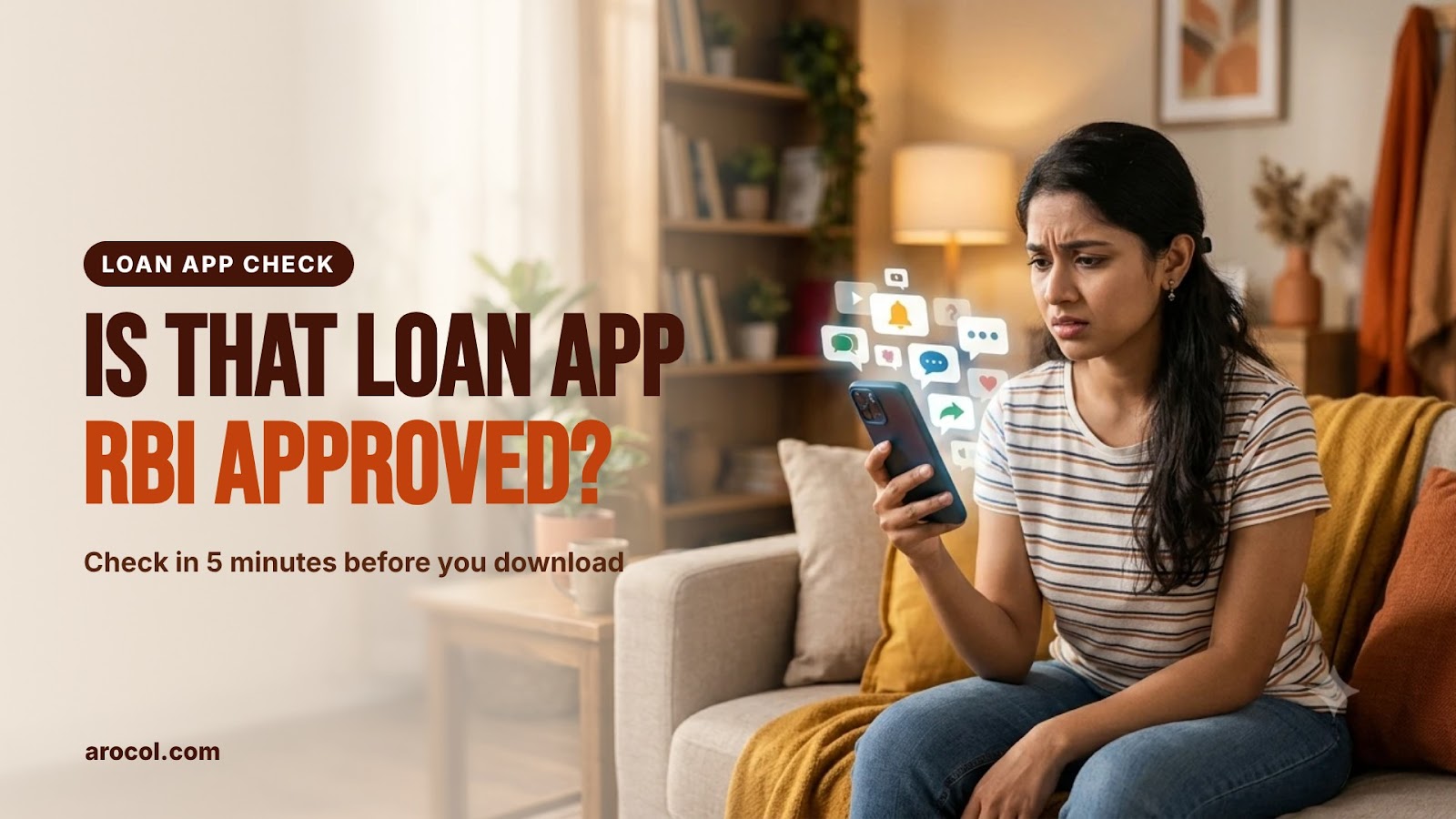
Below: how to check if a loan app is RBI approved using RBI’s own lists, where to find the lender’s name, which phone permissions are a red flag, how to stop loan spam, and where to complain if something goes wrong.
How to check if a loan app is RBI approved in 5 minutes?
Short answer: you look for the app’s name on RBI’s official list of digital lending apps. If it’s not there, you check the company behind it.
Here’s the whole process in five steps. Keep this part open on your phone.
- Find the app name and the company name. On the Play Store, scroll down to “App support” and “About the developer”.
- Search the app on RBI’s app list. It’s called “DLAs deployed by Regulated Entities”. DLA just means digital lending app.
- Not on the list? Search the company on RBI’s NBFC list (or the bank list).
- Check the cancelled list too. Some companies were registered once and lost the licence.
- Check the permissions. A real lender’s app never needs your contacts or your photo gallery.
If an app fails step 2 and step 3, don’t install it. Simple as that. It gets faster every time you do it.
Now let me show you each step with real screenshots, because RBI’s website isn’t the easiest thing to use the first time.
Where is the RBI approved loan app list?
It’s on the Reserve Bank of India website, hidden in a tab most people never click.
RBI started this list in 2025. Every bank and NBFC has to report the loan apps they use, and RBI puts them all in one public table. RBI explained it in a press release on the digital lending app list.
Here’s how I opened it:
- Open rbi.org.in. If a language box pops up, pick English.
- On the home page, find the tabs in the middle: What’s New, Sections Updated Today, Citizen’s Corner.
- Click Citizen’s Corner.
- The last link says “DLA’s deployed by Regulated Entities”. Click it.
- A box says you’re going to a subdomain in a new tab. Click OK.

And then… nothing happened. For me, at least.
I clicked OK three times. No new tab. Turns out Chrome was blocking it as a pop-up. There was a tiny crossed-out icon on the right side of the address bar.
If that happens to you, click that icon, choose “Always allow pop-ups from rbi.org.in”, and click the link again. Or open the RBI digital lending app list directly.
It shows a “Refresh Document” loading bar first. Give it 20 to 30 seconds. Then you get a long table.

What does the table tell you?
Each row is one app. The columns that matter:
- Entity Name: the bank or NBFC that actually lends the money
- Name of the DLA: the app’s name
- Available on: Play Store, App Store or website
- Link to DLA: the exact store link (compare this with the app you found!)
- Grievance officer: who to complain to, with email and phone
That “Link to DLA” column is gold. Fake apps often copy a real app’s name and logo. The link won’t match.
How do you search it?
Press Ctrl+F on a laptop (or “Find in page” in the phone browser menu) and type the app name.
I tested it with a made-up name, “Turant Paisa Loan”. Result: 0/0. Not found.

One catch, though. The table has many pages, and Ctrl+F only searches the page that’s open. So if you don’t find the name, click the next-page arrow at the bottom and search again. Boring, I know. But it’s two minutes, and a bad loan app can cost you months.
Also, this list is made from what lenders themselves report. RBI says clearly that it doesn’t verify each entry. So the list is a must-pass test, not a guarantee.
App not on the list? How to check NBFC registration with RBI
Sometimes the app is new, or the name in the list is spelled differently. Then check the company.
Every real loan app is run by, or works for, a bank or an NBFC (non-banking financial company). And every NBFC that lends money must be registered with RBI.
Here’s where to look:
- Go to rbi.org.in > Citizen’s Corner > RBI Regulated Entities.
- You’ll see a list: Banks in India, Payment System Operators and more. Click Non-Banking Finance Companies.
- On the RBI NBFC list page, you get two lists: NBFCs registered with RBI, and NBFCs whose registration was cancelled.
- Click the PDF for the registered list. Press Ctrl+F and type the company name.
Good news: in the PDF, Ctrl+F searches all pages at once. Much easier than the app table.

When I opened it, the PDF was 295 pages long. It listed 8,502 NBFCs registered with RBI as on 30 September 2026. My made-up “Turant Paisa” got 0/0 again.
Now open the second PDF, the cancelled list. Mine had 136 pages of companies whose certificate of registration was cancelled.
Why check it? Because a fake app can show a real-looking registration number from a company that lost its licence years ago. If the company is on the cancelled list, walk away.
If the lender is a bank, check the RBI regulated entities page and open “Banks in India” instead.
Where do you find the lender’s name inside a loan app?
You can’t check a company you don’t know. So first, find its name.
On the Play Store, open the app page (don’t install yet) and scroll all the way down. Tap App support. You’ll see the website, an email, the privacy policy and About the developer, with the company’s full name and address.

A few things to notice here:
- Company name: it should be a proper registered name, like “XYZ Finance Private Limited”. A random person’s name or just a Gmail address is a big warning.
- Lending partner: many apps are only a platform. The real lender is an NBFC or bank they partner with. The app’s website or Play Store page should name that partner. Check the partner on the RBI lists.
- Address: an Indian office address. No address at all? Skip it.
Google also has its own rule now. Personal loan apps in India have to be on RBI’s app list to stay on the Play Store, as per Google Play’s financial services policy. That helps a lot. But fake apps also spread through WhatsApp links and APK files, outside the Play Store. Those skip every check.
So never install a loan app from a link in an SMS or WhatsApp message. Go to the Play Store yourself and search.
How to identify fake loan apps: what’s the difference?
My colleague Neha got a WhatsApp message last month: “₹20,000 instant loan, no CIBIL check, no documents. Download now.” There was an APK link.
She almost tapped it. Then she sent it to me first. We searched the app name on RBI’s list. Nothing. We searched the “company” name from the message. Nothing there either.
She deleted it. Good call.
Here’s what real and fake loan apps usually look like side by side:
| What to check | Genuine loan app | Fake loan app |
|---|---|---|
| Where you get it | Play Store, searched by you | SMS link, WhatsApp link, APK file |
| RBI app list | Listed, with the same store link | Not on the list, or the link doesn’t match |
| Company name | Registered bank or NBFC, Indian address | No company, a person’s name or a Gmail |
| Fees | Shown in the Key Fact Statement | “Registration fee” before the loan |
| Interest | APR shown before you accept | Hidden, or told only after the money arrives |
| Permissions | Camera, mic, location once for KYC | Contacts, gallery, call logs |
| Money comes from | Lender’s own bank account | Some person’s account or wallet |
| Recovery | Calls you, follows RBI rules | Threatens you, messages your contacts |
If an app ticks even two boxes in the right column, it’s not worth the risk.
And look at that line about fees. Real lenders take the processing fee from the loan amount or add it to the loan, and they show it in the Key Fact Statement. Nobody genuine asks you to pay ₹999 “registration charges” before giving you the money.
What permissions should a loan app ask for?
This is the part most people skip, and it’s where the real damage happens.
Under RBI’s digital lending rules, lending apps can’t access your files and media, contact list, call logs or telephony functions. They can take one-time access to your camera, microphone and location, only for KYC, and only with your clear consent.
So what permissions should a loan app ask for? Camera, mic and location, once, for KYC. That’s it. If a loan app asks for your contacts or your full photo gallery, that’s your answer. It’s not following RBI rules.
Why do fake apps want your contacts? Because that’s how harassment works. If you miss one payment (or even if you don’t), they message your family, your boss and your friends. Sometimes with morphed photos taken from your gallery.
My neighbour’s son, a college student, installed one of these from a link. It asked for contacts, photos, everything, and he tapped “Allow” on all of it without reading. He got scared when it started showing loan offers he never asked for. We uninstalled it together that same evening and turned off every permission in Settings > Apps > Permissions before he deleted it.
Nothing bad happened, luckily. But he was lucky. Many people aren’t.
What does a genuine loan app give you?
- A Key Fact Statement (KFS) before you sign, with the annual interest rate (APR), all fees and penal charges in one place
- Money sent directly from the lender’s bank account to yours, never through some third person’s account
- A cooling-off period of at least one day, when you can return the loan without a penalty
- A grievance officer name and contact
My cousin took a small loan from a bank-linked app last year. Before he clicked “Accept”, he got a one-page KFS showing the APR, the processing fee and the total amount he’d repay. That’s what normal looks like. If you want to see how much a loan really costs over time, read my post on EMI vs total interest.
Why am I getting so many loan messages and calls?
Back to my airport story.
After that day, my inbox filled up. I just searched my SMS for “pre-approved loan”. 21 messages.
Here’s what I noticed when I actually read them. Some came from proper sender names with a code, like XX-ABCDEF-P. Others? I never picked up a single call, so I can’t tell you what those people wanted.

That code at the end tells you a lot. Since 2025, business SMS in India carry a letter at the end of the sender name:
- -P = promotional (ads and offers)
- -S = service (updates about something you use)
- -T = transactional (OTPs, bank alerts)
- -G = government
A “pre-approved loan” SMS with -P is just marketing, even if it’s from a real company. A loan offer from a plain 10-digit mobile number is a different story. Genuine companies aren’t allowed to send promotions from personal numbers.
Even a real offer is only an ad. “Pre-approved” doesn’t mean you must take it, and it doesn’t mean the terms are good for you.
How to stop loan messages and calls
- Turn on DND: call or SMS 1909, or use your telecom app or the TRAI DND app. You can also block only some categories.
- Report fraud messages: if a message looks like a scam (fake lender, APK link, threats), report it on Chakshu on Sanchar Saathi.
- Don’t reply, don’t call back. Every reply tells them your number is active.
- Be careful who gets your number. I learned that one the hard way.
If you also want to protect yourself from fake calls in general, my guides on AI voice scams and UPI fraud protection cover the other tricks.
Can AI help you check if a loan app is RBI approved?
Yes, a little. AI can’t check if a loan app is RBI approved for you. Only RBI’s lists can. But it can read long boring pages faster than you.
Copy the app’s Play Store description, its permission list and its privacy policy text, and paste them into ChatGPT or Gemini with this prompt:
I’m in India and thinking about a loan app. Below is its Play Store description, permission list and privacy policy. Please: 1) list every phone permission it asks for and say which ones RBI’s digital lending rules don’t allow (contacts, call logs, files and media), 2) find the name of the lending company or NBFC partner, 3) list any fees, interest rates or charges mentioned, 4) point out anything that looks like a red flag (upfront fees, no company name, no grievance officer). Don’t guess. If something isn’t in the text, say “not mentioned”. [paste text here]
Then take the company name it finds and search it yourself on RBI’s lists.
A few rules when you use AI for money stuff:
- Never paste your PAN, Aadhaar, bank details or OTP into an AI tool.
- Don’t ask AI “is this app safe?” and stop there. It can be confidently wrong.
- Use it to read and summarise. Make the decision yourself.
I use the same idea for my monthly budget too. If you’re curious, here’s how I use AI to plan a monthly budget.
Already downloaded a fake loan app? Where to complain
Don’t panic. Do these things in this order.
- Don’t pay any “fee” or “penalty” they ask for outside a proper loan account. Fake apps keep inventing new charges.
- Turn off its permissions (Settings > Apps > the app > Permissions), then uninstall it.
- Tell your close contacts that they may get strange messages about you, and to ignore them.
- Lost money or getting threats? Call 1930 or file a complaint on the National Cyber Crime Reporting Portal. Keep screenshots of every message.
- Report the unregistered lender on RBI’s Sachet portal. Its home page has a big “File a Complaint” button.
- Problem with a real, registered lender? (wrong charges, rude recovery calls) First complain to their grievance officer from the RBI list. No answer in 30 days? Go to the RBI Ombudsman complaint portal.

If someone already took money from you in a scam, my post on what I did after a Telegram trading scam walks through the cyber complaint step by step.
What should you do instead of a risky instant loan?
Honestly? Most people who download these apps need ₹5,000 to ₹30,000 fast. That’s exactly what fake apps target.
A few safer roads:
- An emergency fund, even a small one. I wrote about building an emergency fund when money is tight.
- Your own bank’s app. If you need a personal loan, start with the bank where your salary comes. Here’s how to get a personal loan at the lowest interest.
- Fix your CIBIL score so real lenders say yes. See how to improve your CIBIL score.
- Track where the money goes. A simple expense tracker notebook helped me see my small leaks more than any app did.
And keep your loan papers safe. A genuine lender gives you a sanction letter and a KFS. I keep mine in one A4 document folder, so if there’s ever a dispute, everything is in one place.
If you want to understand money basics without the jargon, Let’s Talk Money by Monika Halan is the book I’d hand to anyone in their first job. And for the “why do we make silly money decisions” part, The Psychology of Money is a good, easy read.
So, what happened with all those calls?
I never picked up. Not once. Not even his call.
I turned on DND. The flood slowed down to a trickle. I reported the scammy-looking ones. And I stopped giving my number to people just because I felt awkward saying no.
Did he pass on my number? I’ll never know. Maybe it was a coincidence. Maybe my number was already on some list and that day was just bad timing.
But here’s what I do know. Every one of those “pre-approved” offers wanted the same thing: for me to tap a link fast, without thinking.
So think. Take five minutes. That’s all it takes to check if a loan app is RBI approved: the RBI app list, the NBFC list, the cancelled list, the permissions. If it fails, close it and walk away.
Your contacts, your photos and your peace of mind are worth more than a ₹10,000 “instant” loan.
Have you been getting loan spam too? Tell me in the comments how many messages you’ve counted. I’m at 21.
Recommended reads
- Stranger Sent Money by Mistake? Don’t Refund It on UPI Yet
- Loan Guarantor in India: Risks and What to Check First
- Hidden Charges in Your Credit Card Bill? Let AI Find Them
- FD Insurance: Is Your ₹10 Lakh Really Safe in One Bank?
- All Money Safety Guides on Arocol
Disclaimer: This post is for general information only and is not financial or legal advice. RBI’s lists change often, and RBI itself says the app list is based on what lenders report. Always check the latest lists on rbi.org.in before you borrow. Screenshots are from my own phone and laptop; names, numbers and brands are blurred, and the SMS picture is an example.